



 413
413
With the launch of the Agency Productivity Tool (APT), the process for adding closed deals to your Agency page has been updated.
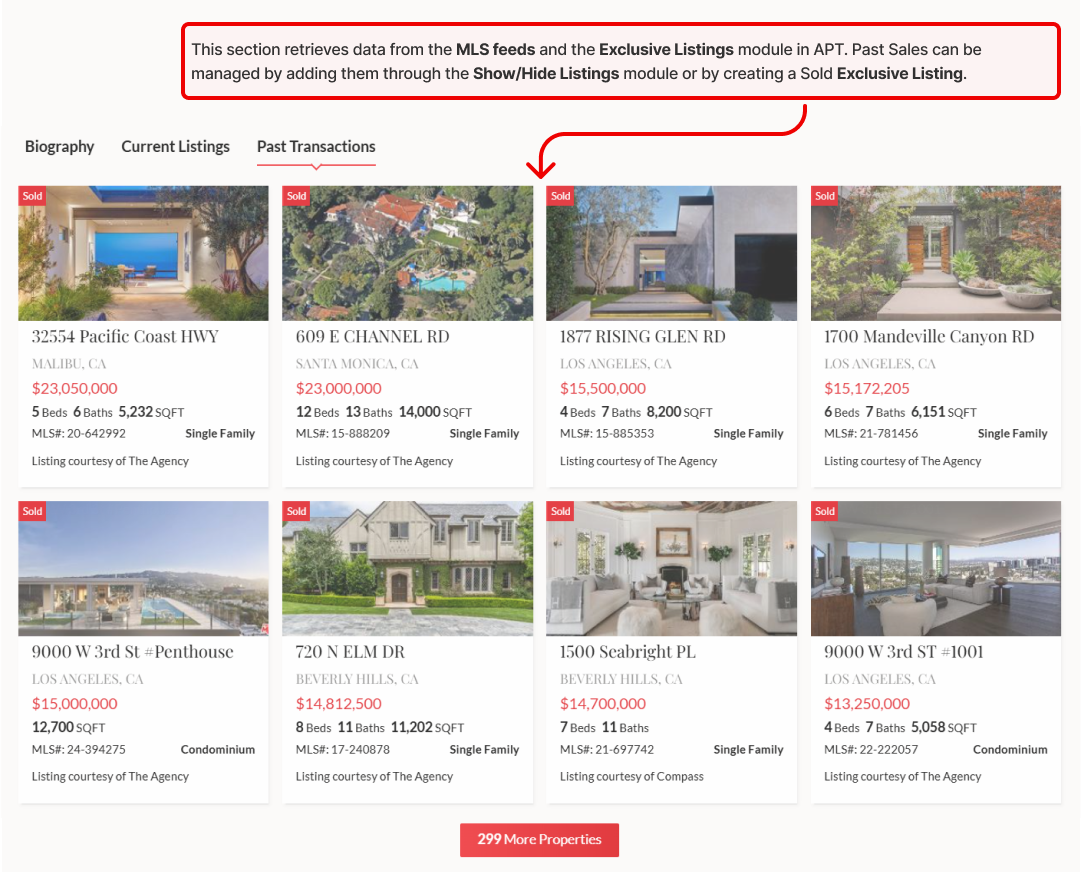
- The top section, featuring larger photos, pulls data from the MLS feeds and the Exclusive Listings module in APT. Past Sales can be managed by adding them through the Show/Hide Listings module or by creating a Sold Exclusive Listing.
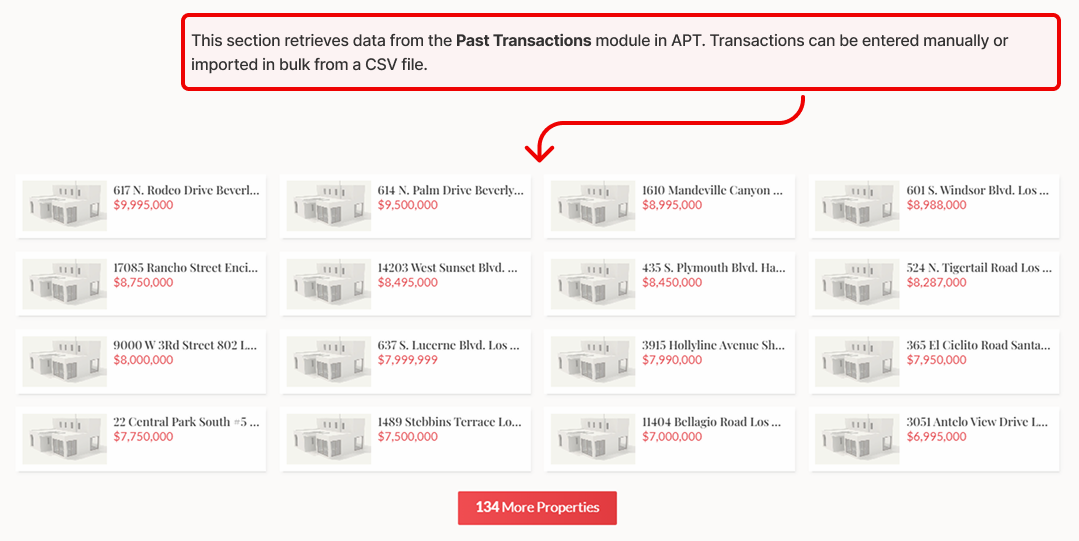
- The bottom section, displaying smaller photos, pulls data from the Past Transactions module in APT. Transactions can be entered manually or imported in bulk via a CSV file.
The following instructions guide you through adding a single past sale. If you have a large list of past sales, please send a CSV file to [email protected] for bulk import.
Option 1: Add a closed sale from the MLS via the Show/Hide Listings module
- Open APT and login to your Agent account.
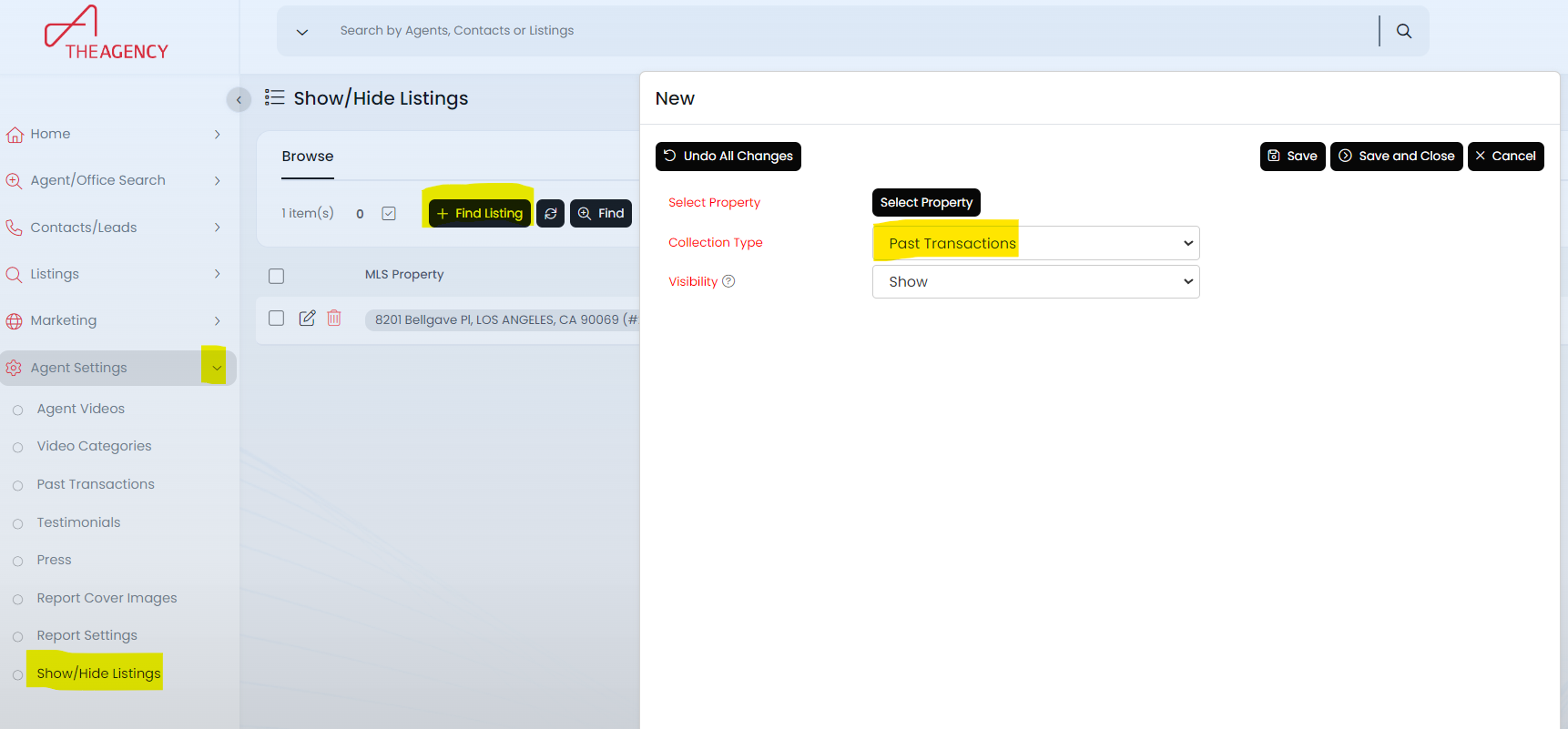
- Navigate to Agent Settings, then select Show/Hide Listings.
- Click the +Find Listing button.
- In the pop-up window, choose the Past Transactions collection type and click Select Property.
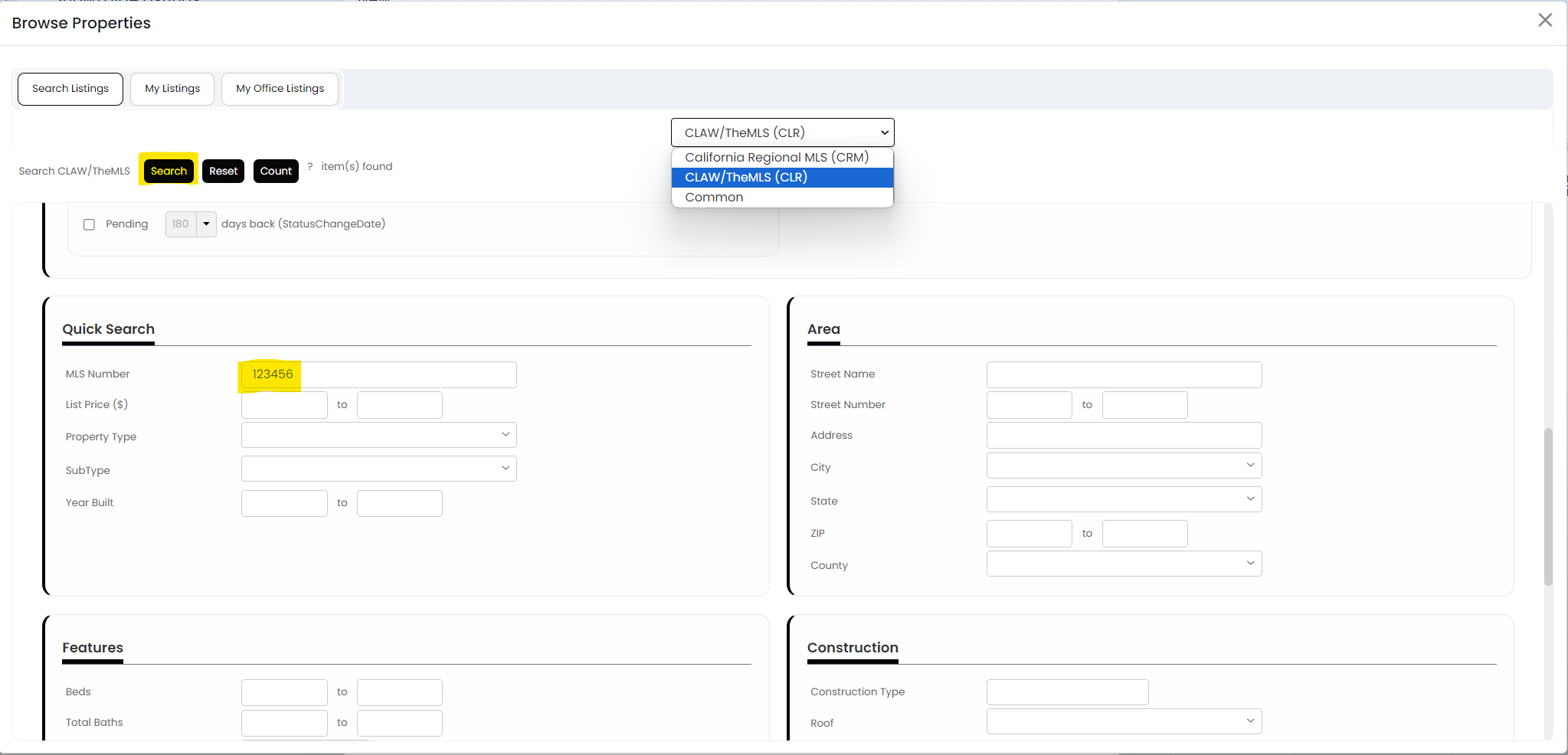
- In the property browser, locate and select the MLS where the listing was entered.
- Scroll down to the Quick Search section, enter the MLS#, and click Search.
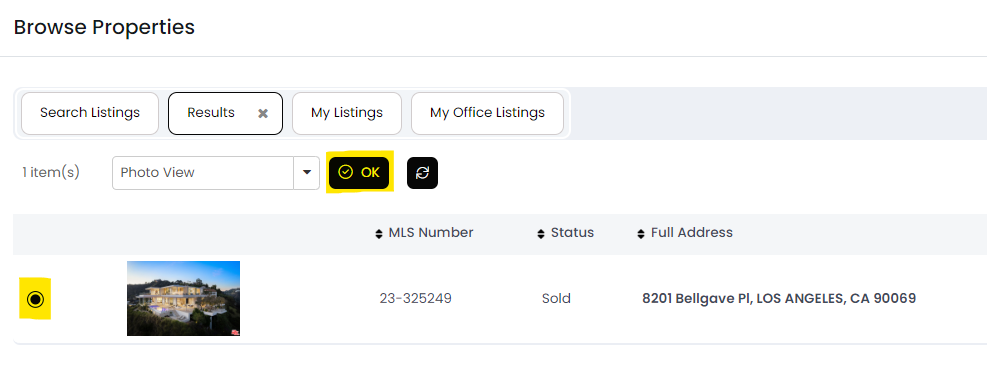
- On the next screen, select the listing and click OK.
The listing will now appear on your Show/Hide Listings page in APT. You can manage its visibility by hiding or unhiding it. Please allow up to 30 minutes for the listing to appear on your agent page.
Please note that your MLS listings do not automatically appear under the Show/Hide page in APT. This section allows you to manually display a listing that isn't showing automatically or hide a listing that you do not wish to display on your page.
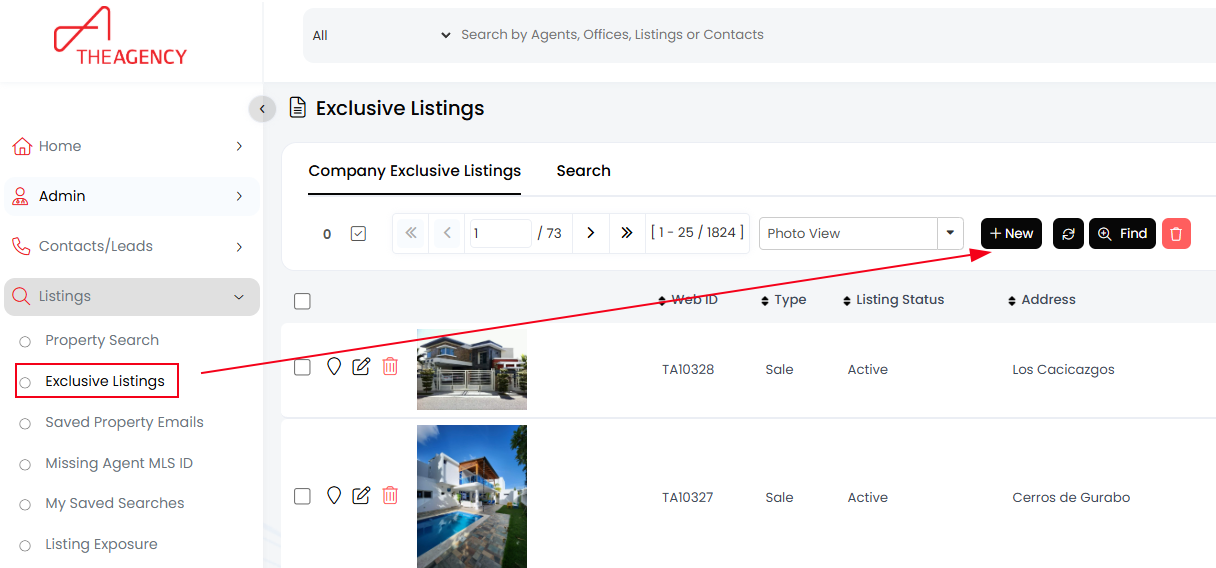
Option 2: Add a closed sale via the Exclusive Listings module
- Navigate to Listings and then select Exclusive Listings
- Click the +New button to create a new Sold listing
- Fill out the deal information and hit Save & Close.
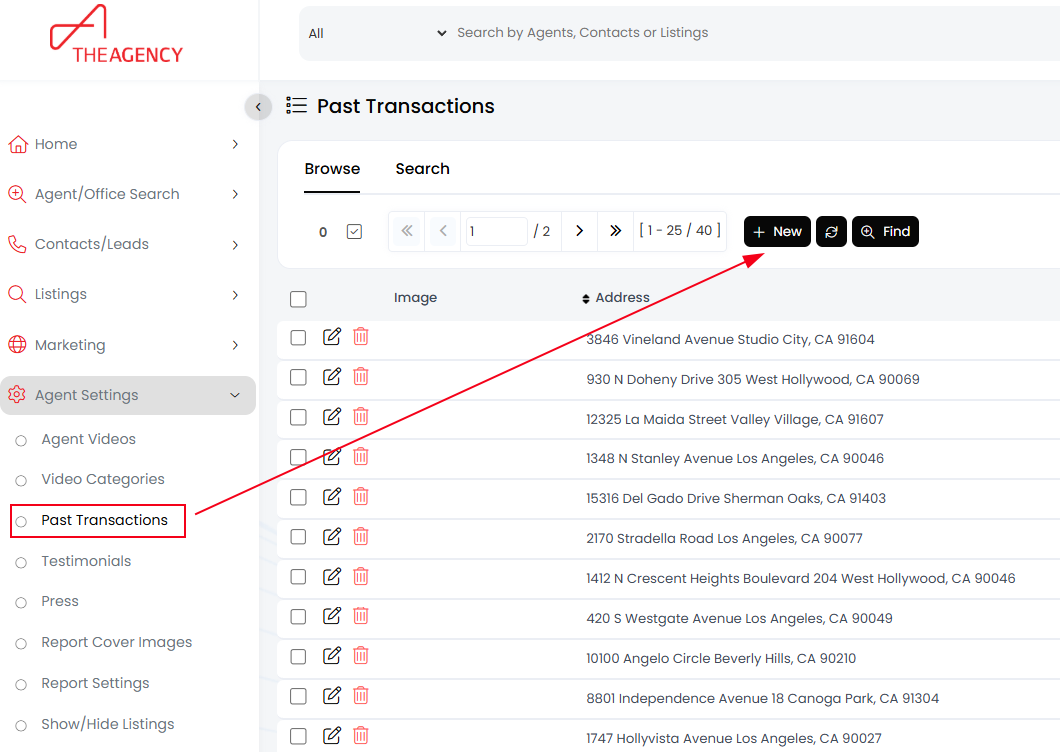
Option 3: Add a close sale via the Past Transactions module (small photo section)
- Navigate to Agent Settings, then select Past Transactions
- Click the +New button.
- Fill out the deal information and hit Save & Close.
Watch the instructional video at The Agency University here!

