

CRM App: Switching to a Team Profile
Last updated: Feb 26, 2026
162
views

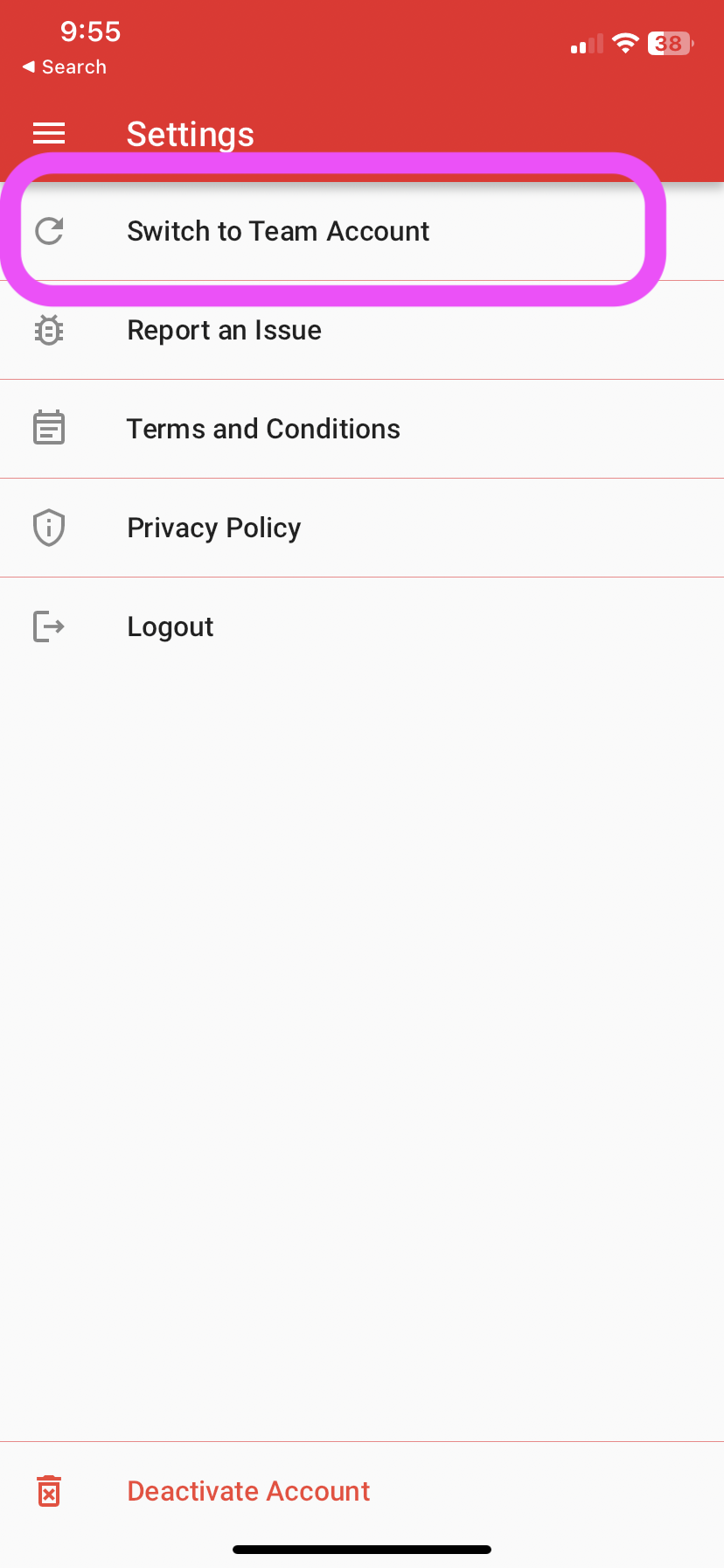
To switch profiles, go to the Settings page and click on the Team Account option. This option is only available for those who have the "Team Admin" role on their APT Profile!
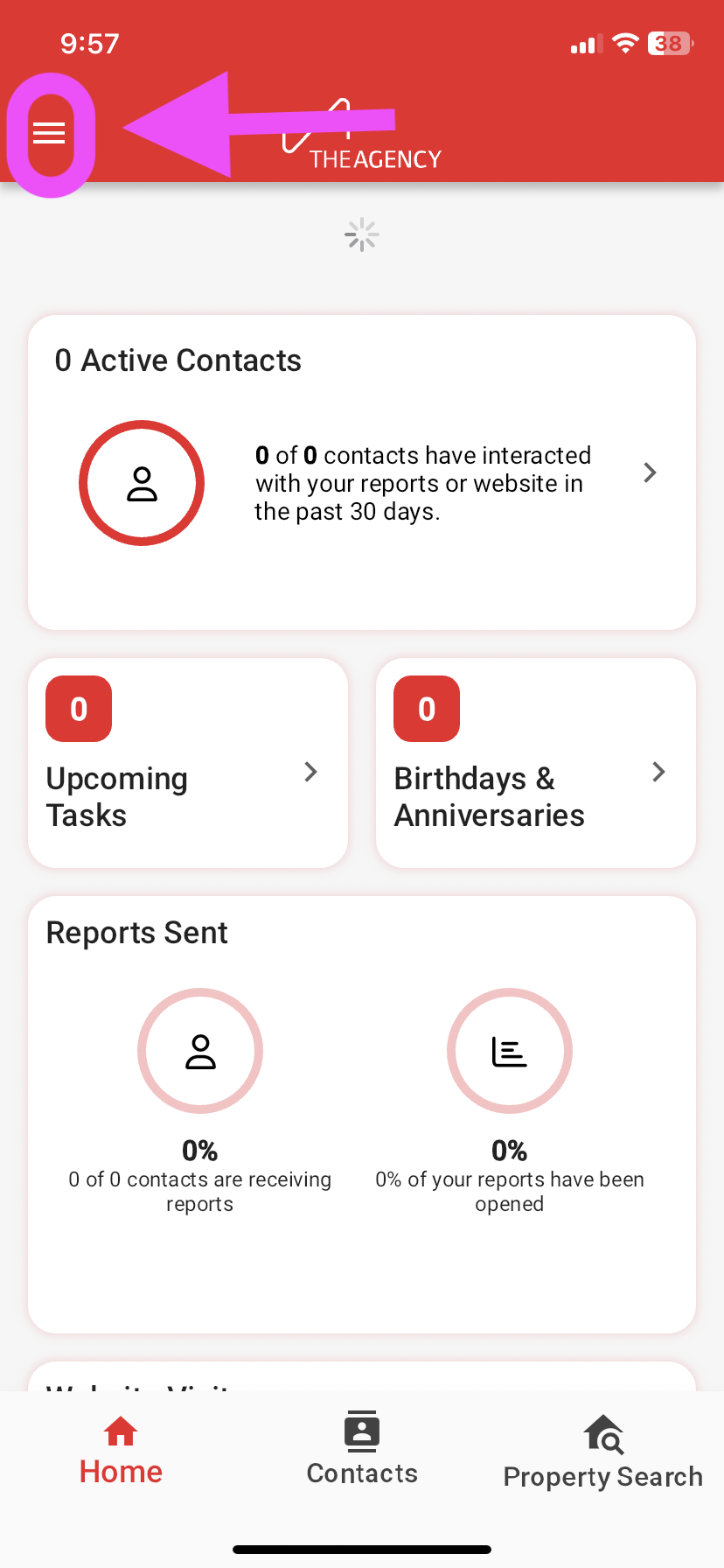
1.) Tap on the hamburger icon towards the top left (3 horizontal lines)
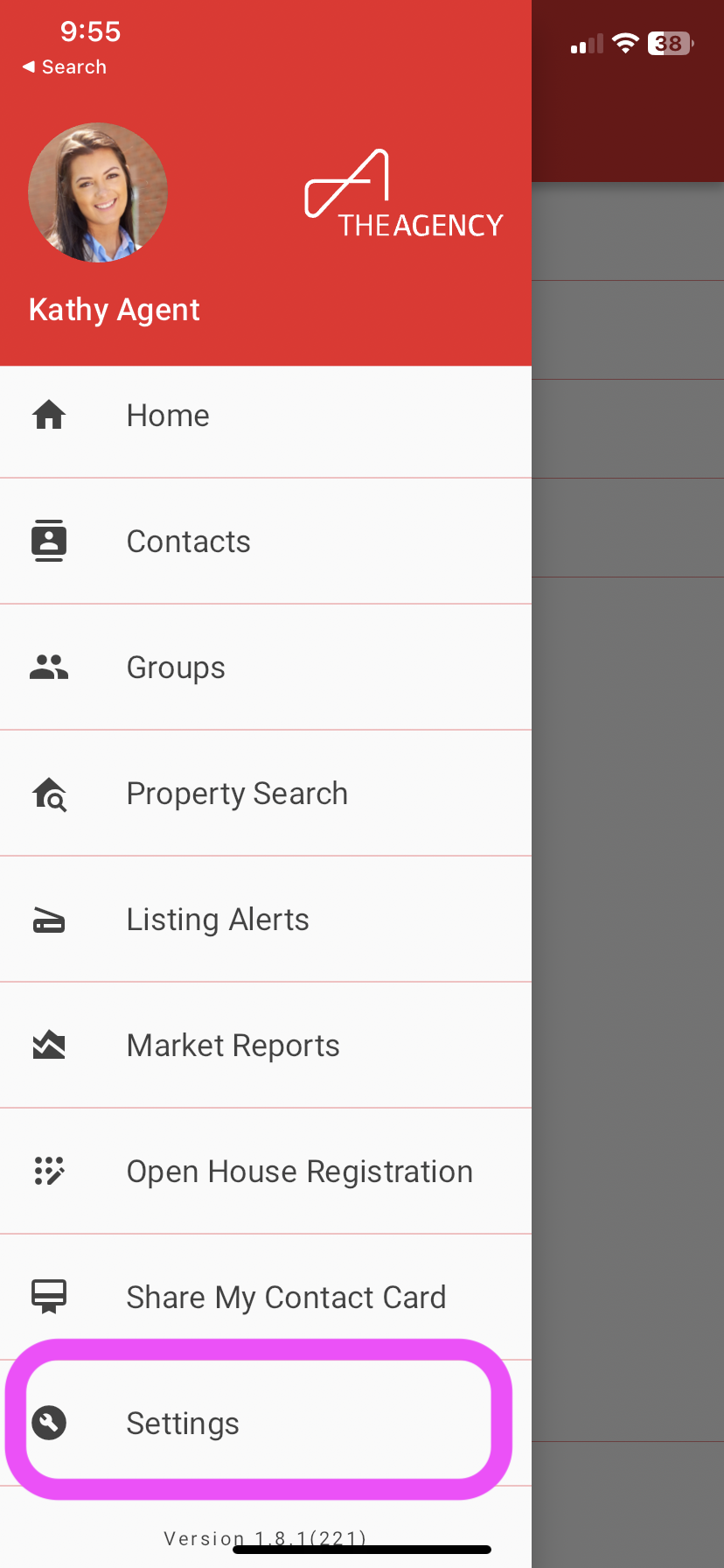
2.) Tap on Settings
3.) Tap on Switch to Team Account
4.) Now you're logged into the Team Account profile!

