


Groups: Remove Contact/Lead from Group

May 29, 2025
 9
9
Go to the contact and click on the "Manage" button to remove the group.
📺 Click here to watch the video tutorial 📺
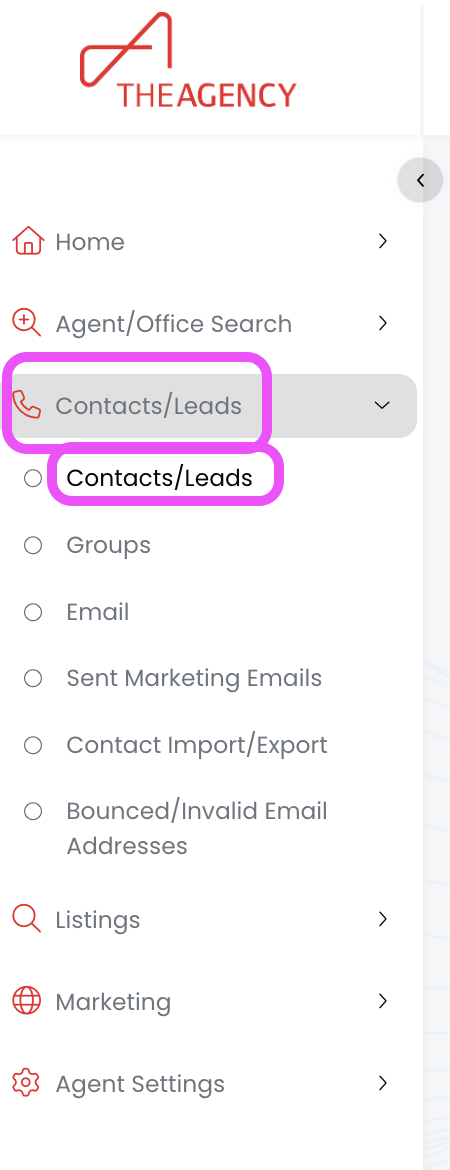
1.) From the left side menu, click on Contacts/Leads, and then click on Contacts/Leads again
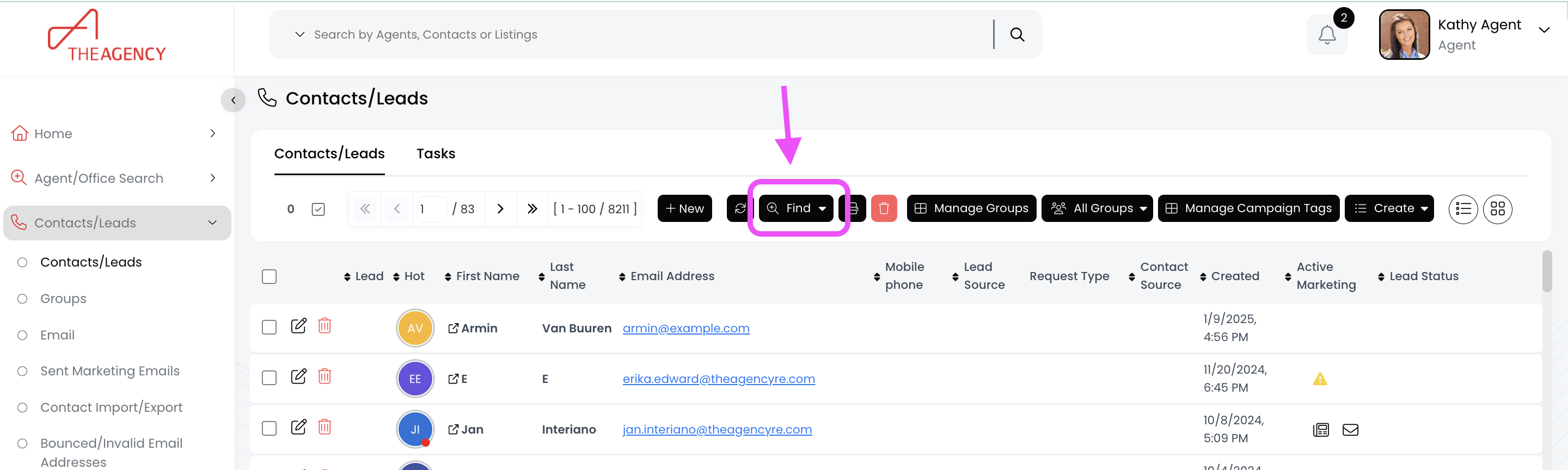
2.) Click on the Find button (top middle)
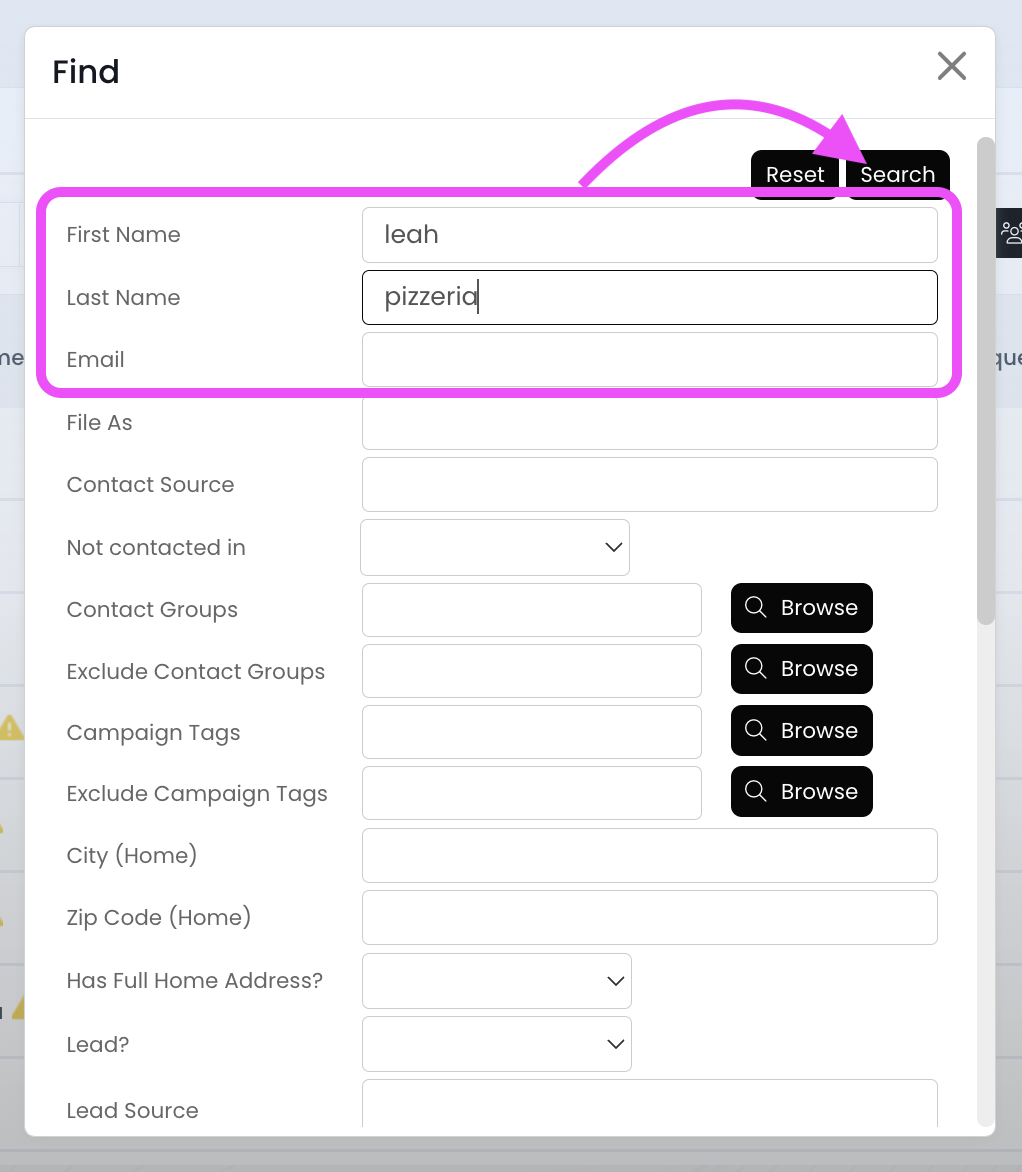
3.) Search for the contact using the first name, last name, or email fields and then hit Search
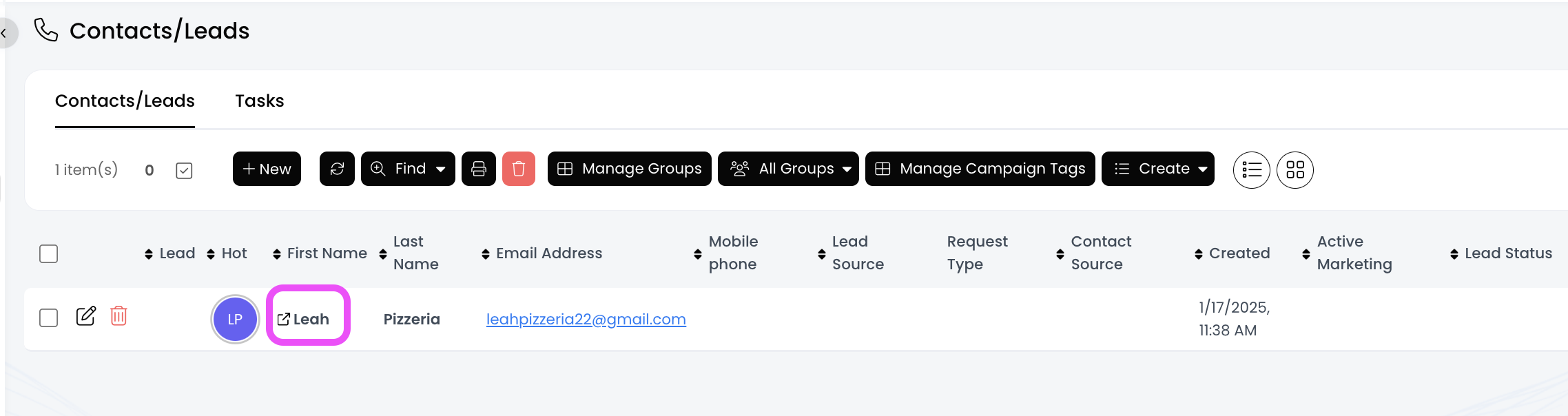
4.) Click on the contact's first name
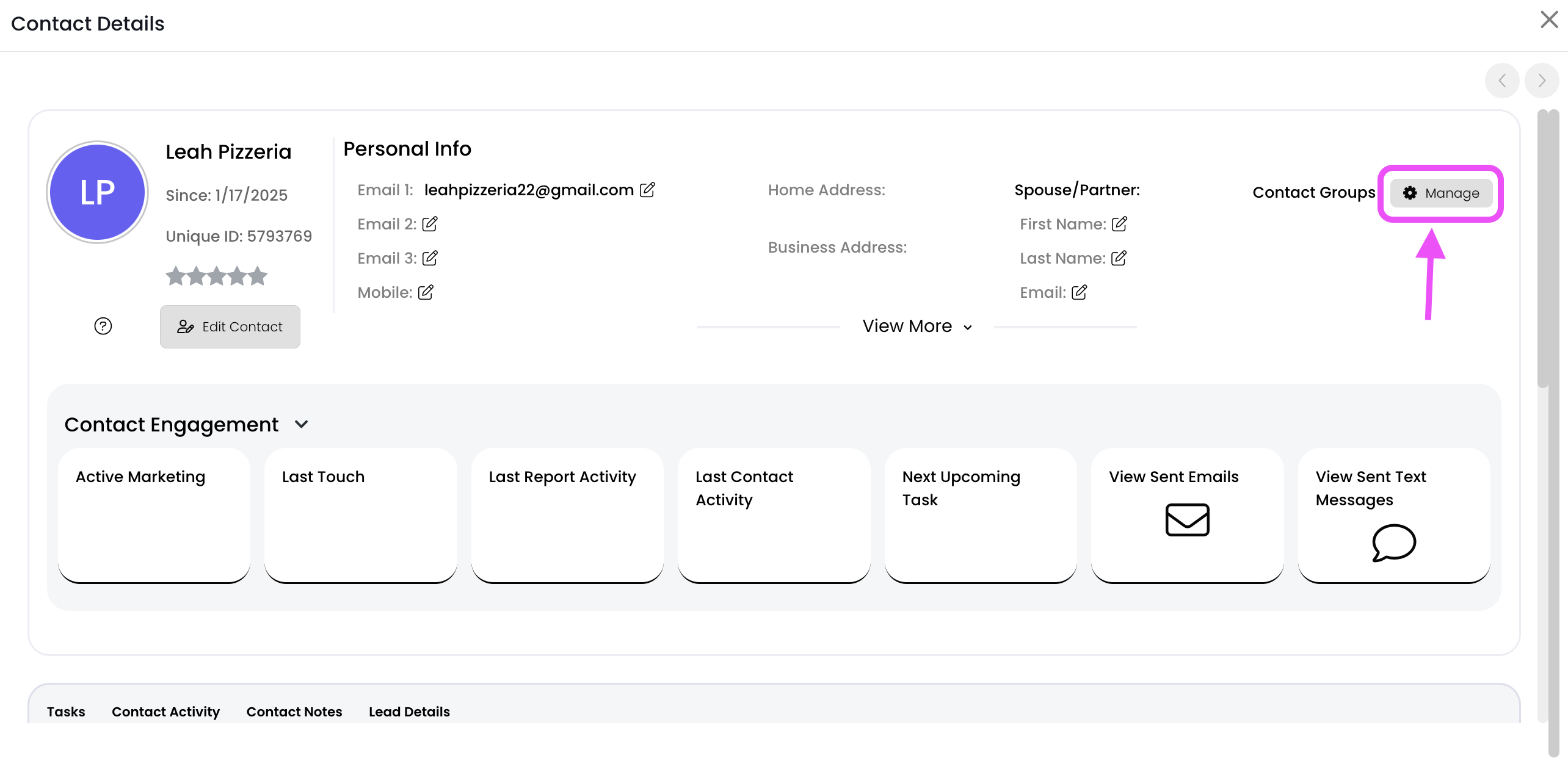
5.) Click on the Manage button (top right corner)
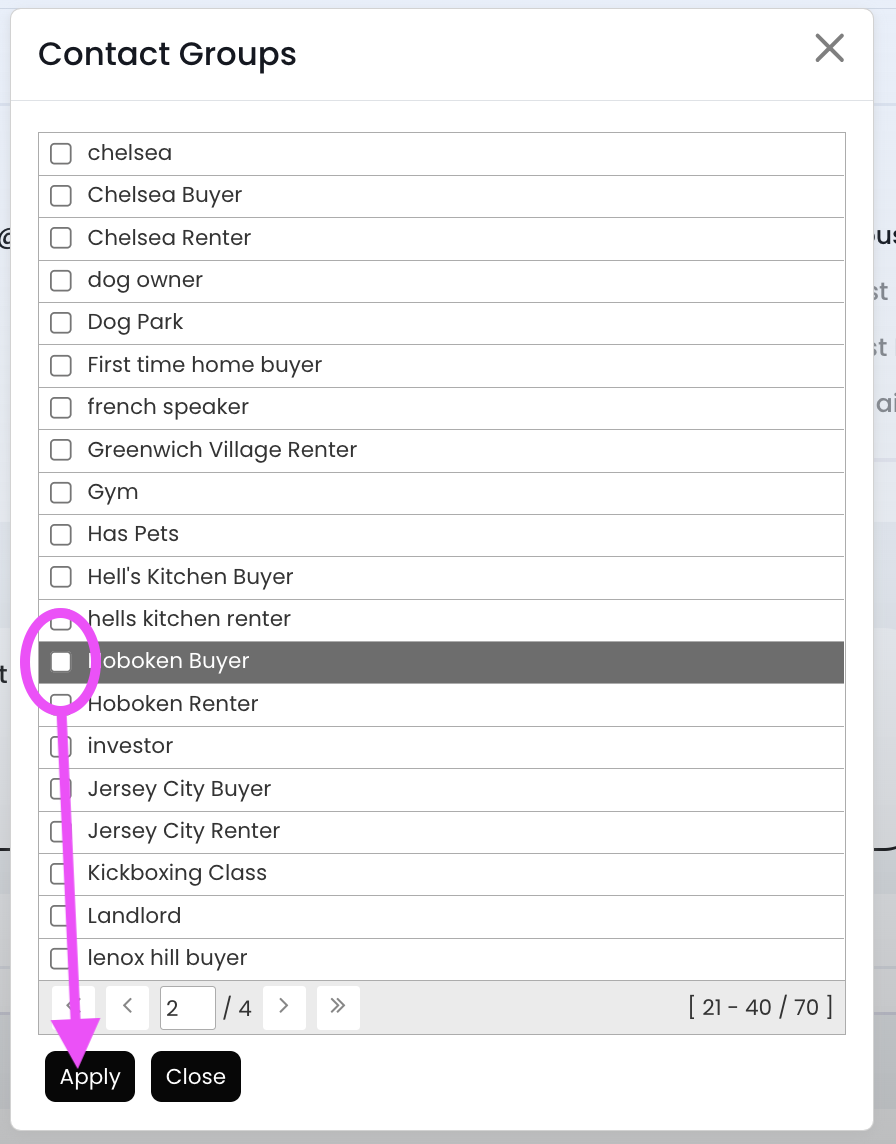
6.) Uncheck the box to the left of the group name, and then click the Apply button
7.) Now this person has been removed from the group!

