
You are using an unsupported browser. Please update your browser to the latest version on or before July 31, 2020.
close
You are viewing the article in preview mode. It is not live at the moment.
Home > APP AND WEBSITE SUPPORT > APT > APT CONTACTS & LEADS > Groups: View Contacts in a Group
Groups: View Contacts in a Group
print icon

Use the "All Groups" button to view a group of contacts.


📺 Click here to watch the video tutorial 📺


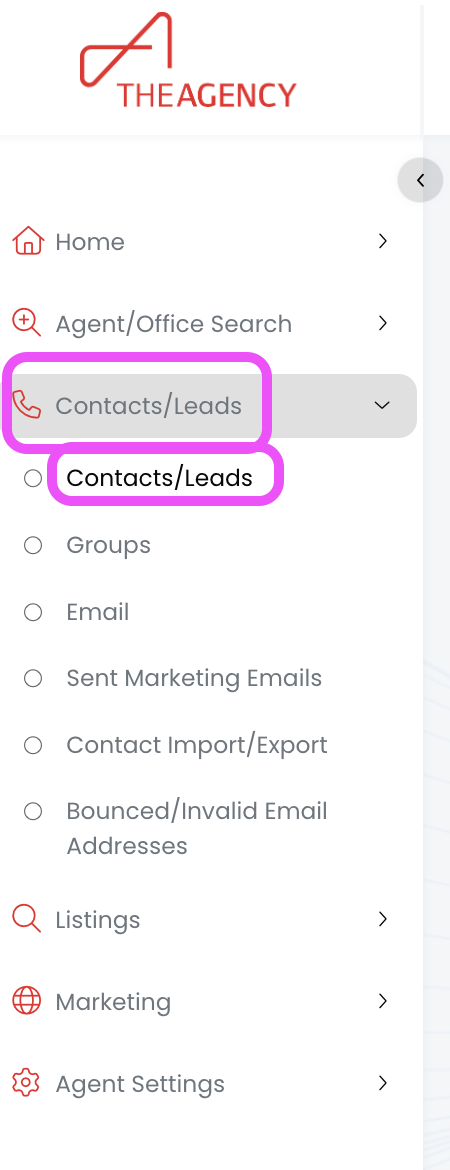
1.) From the left side menu, click on Contacts/Leads, and then click on Contacts/Leads again


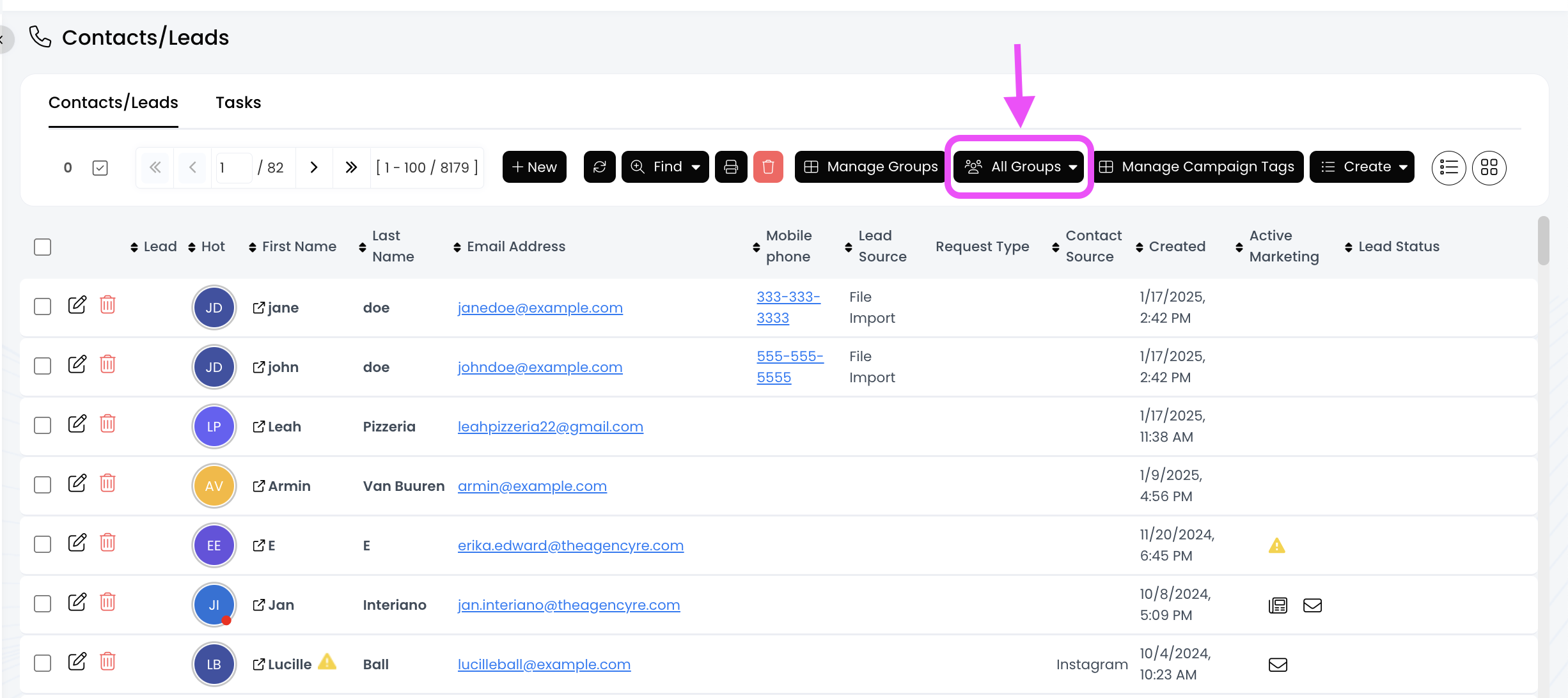
2.) Click on the All Groups button to expand all the group options


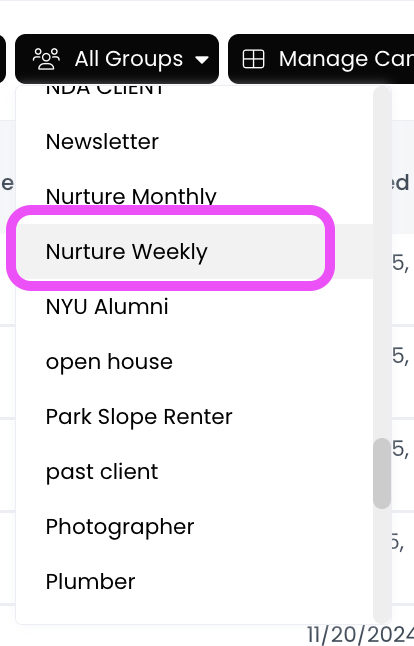
3.) Click on the group you want to view


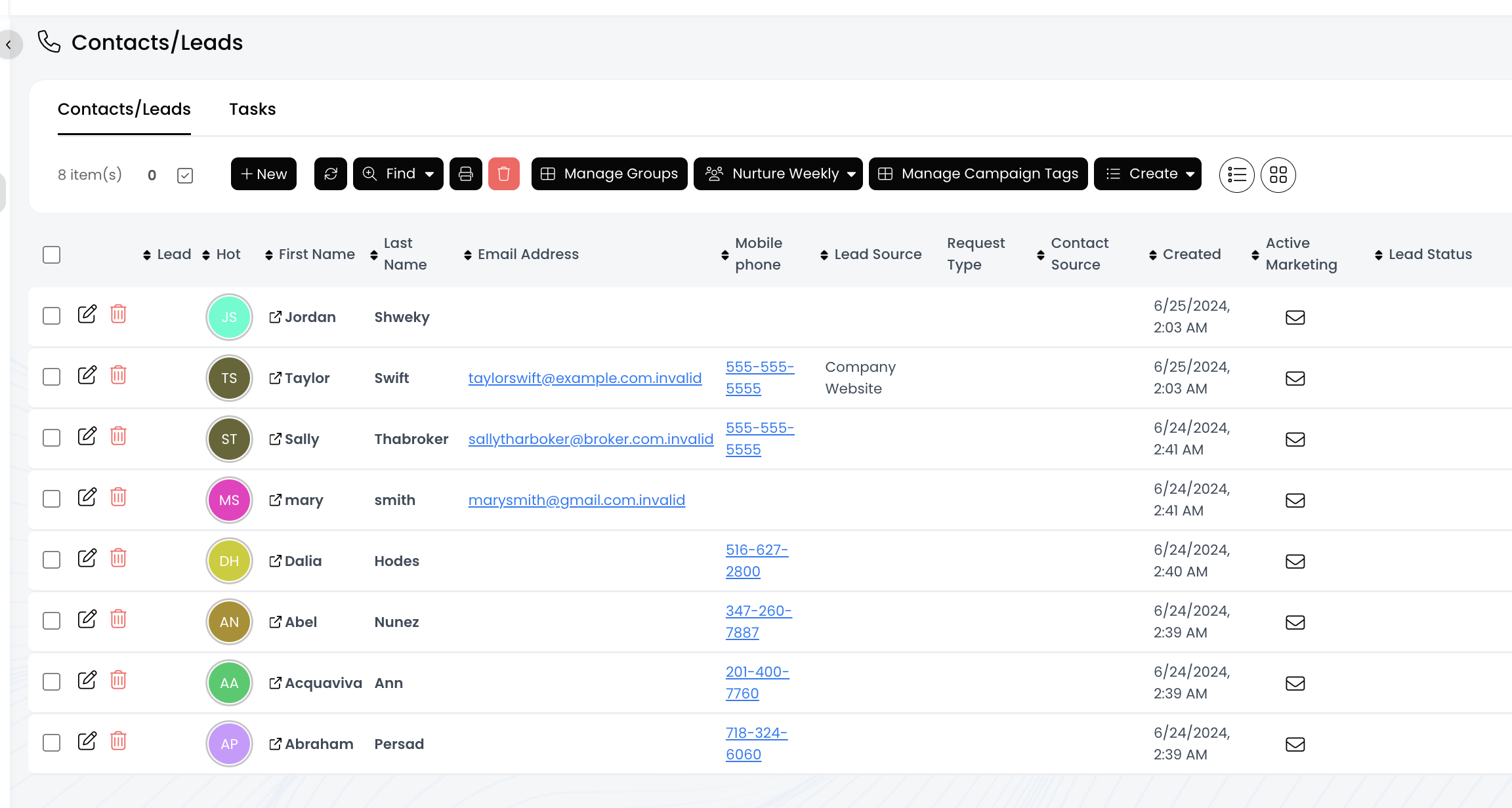
4.) Now you're viewing all the contacts in this group!


Feedback
0 out of 0 found this helpful

scroll to top icon