Filters: View Your StreetEasy Building Expert Leads

May 29, 2025
 45
45
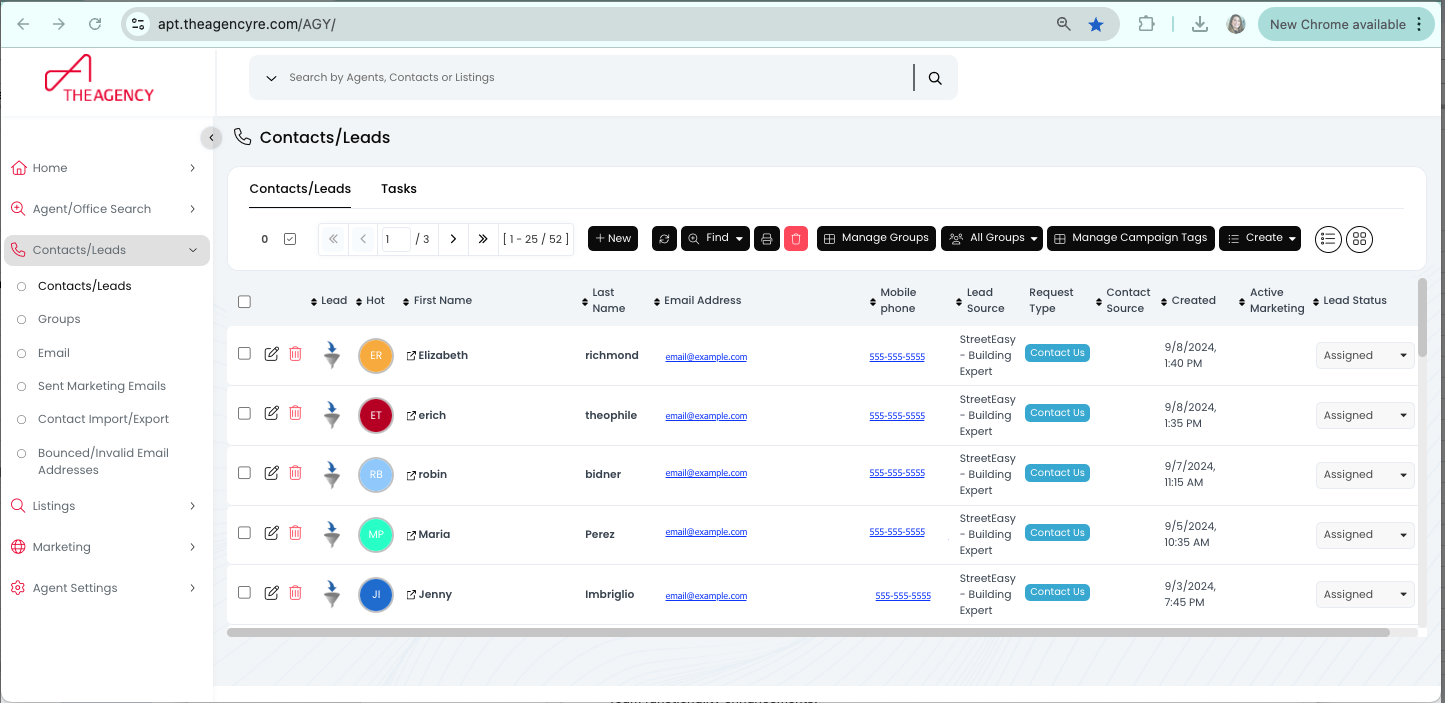
Use the Find feature in APT to view your Building Expert leads.
📺 Click here to watch the video tutorial 📺
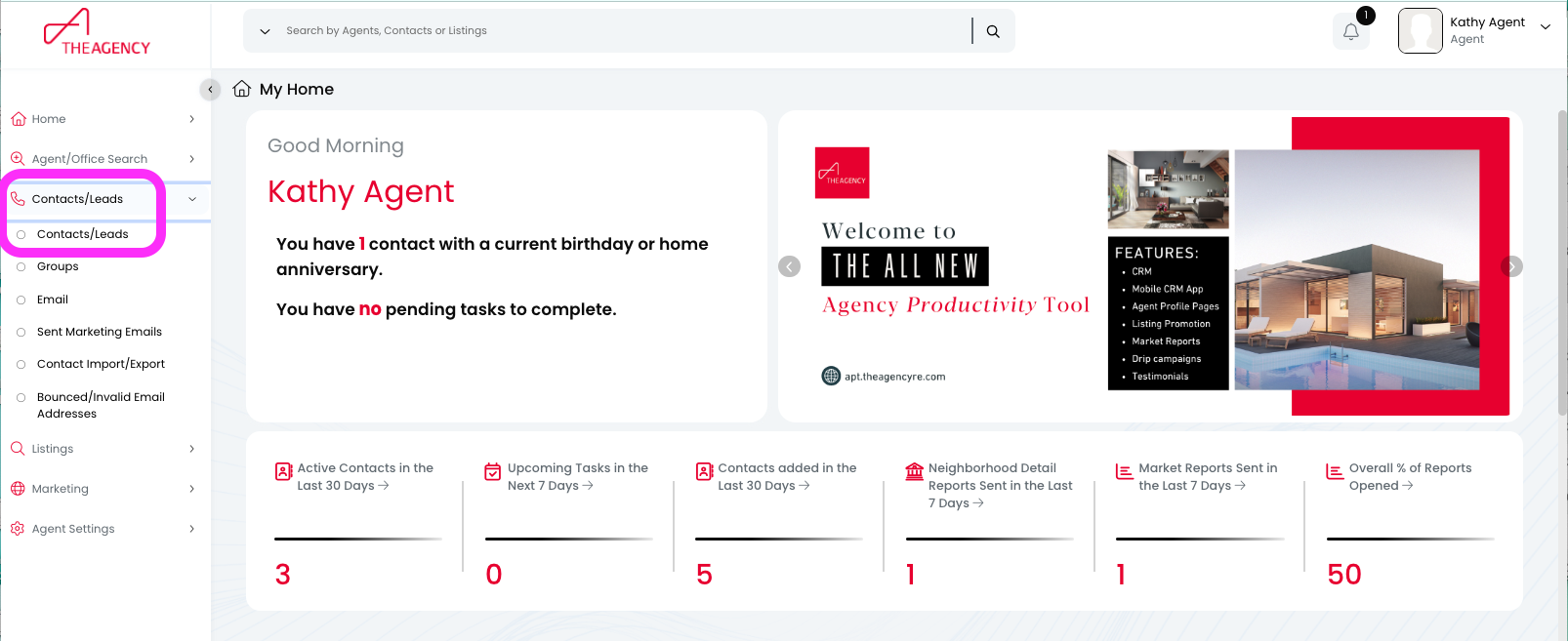
1.) Click on the "Contacts/Leads" option on the left-side menu, and then click on the "Contacts/Leads" option underneath
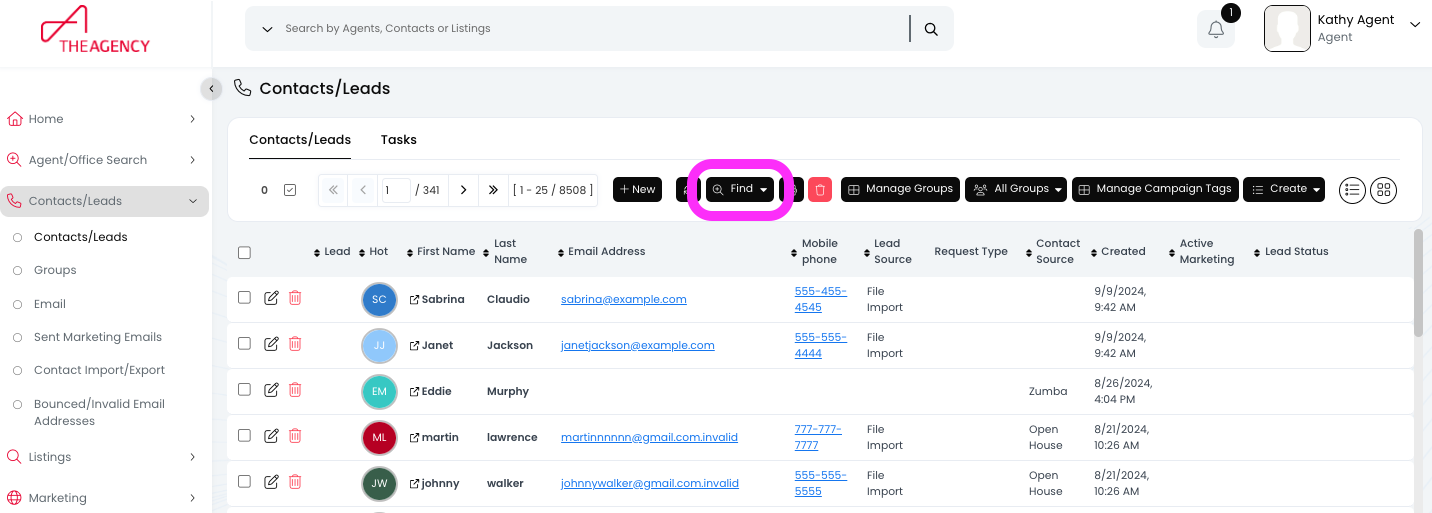
2.) Click on the "Find" button (top middle)
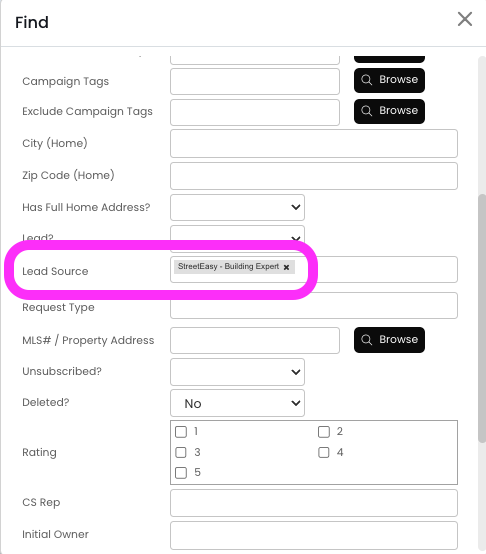
3.) Scroll down and look for the "Lead Source" field. Then select the "StreetEasy - Building Expert" option
4.) Now you'll see all of your BE leads!