
You are using an unsupported browser. Please update your browser to the latest version on or before July 31, 2020.
close
You are viewing the article in preview mode. It is not live at the moment.
Home > APP AND WEBSITE SUPPORT > APT > AGENT & TEAM PROFILES > Agent Profiles: Show or Hide Agent on Website
Agent Profiles: Show or Hide Agent on Website
print icon

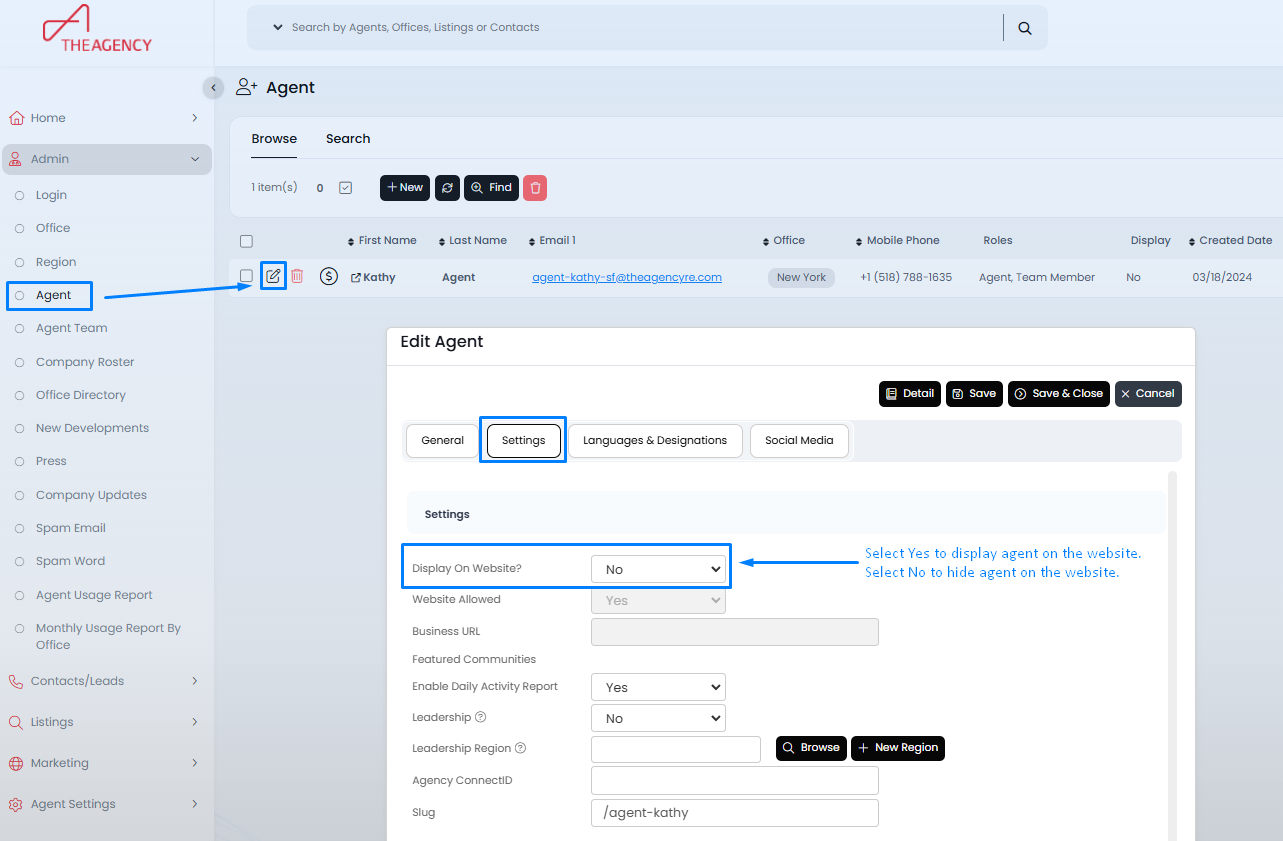
To show or hide an agent on the website, go to the Admin > Agents section in APT.


Click the pencil icon next to the agent's name, then navigate to the Settings tab.


In the Display on Website field, select Yes to show the agent on the website or No to hide them.


Feedback
0 out of 0 found this helpful

scroll to top icon