


Remove Agent from Exclusive Listing

Jun 04, 2025
 2
2
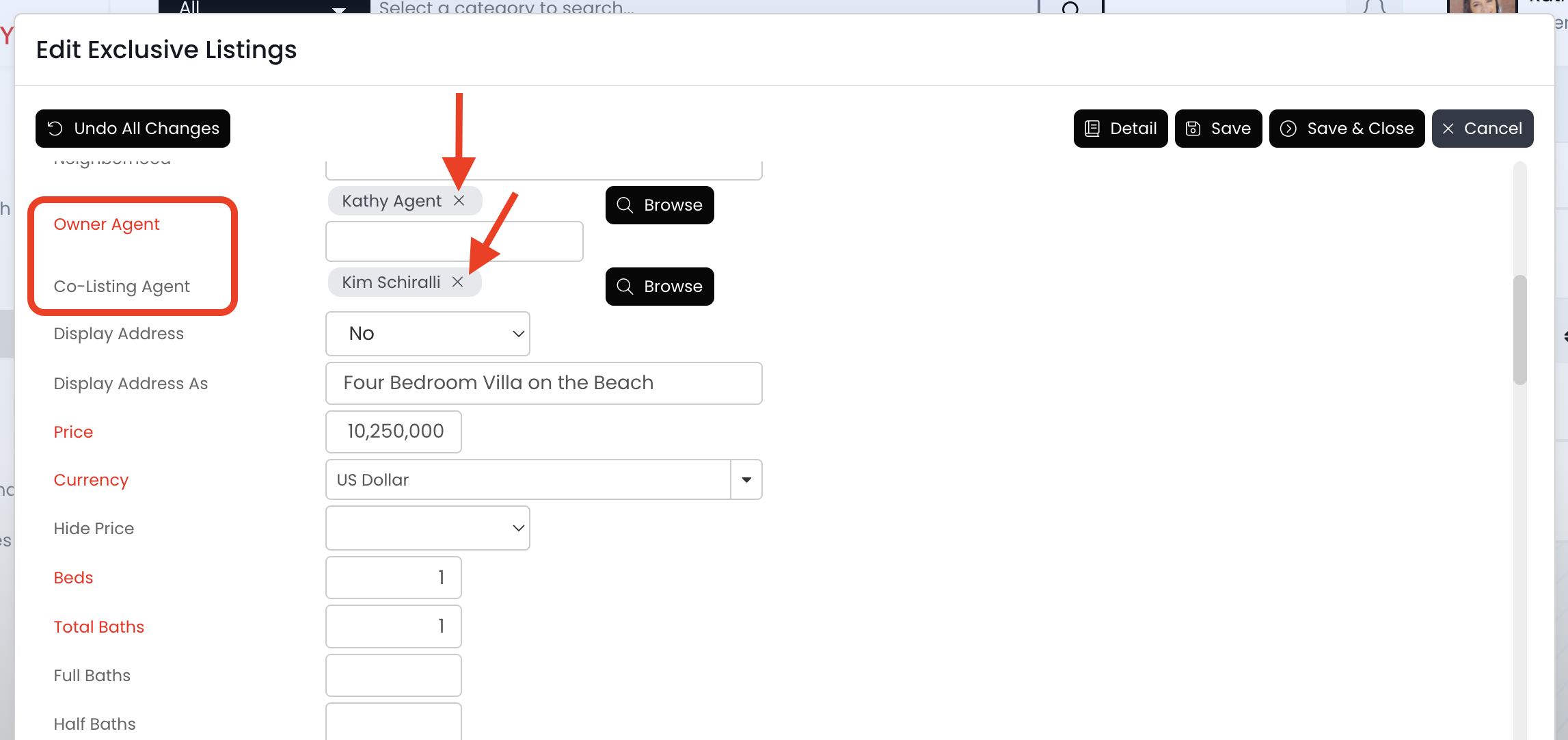
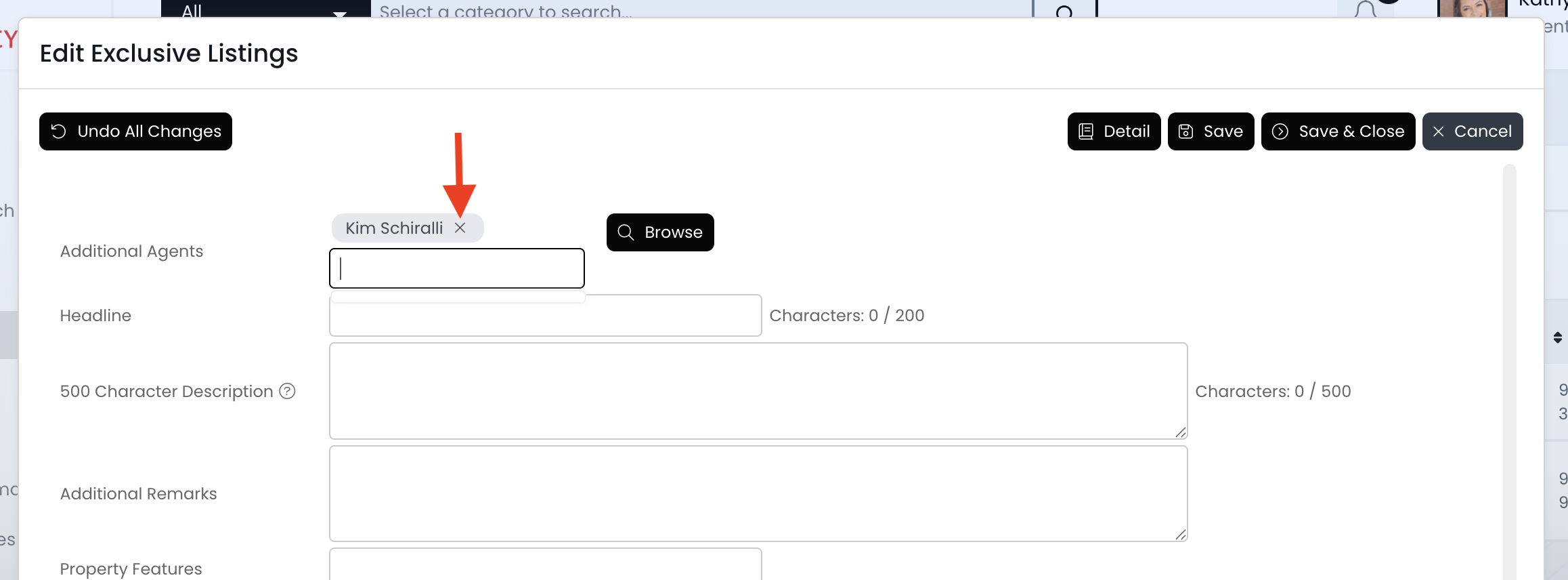
Agents can be added in 3 different fields on an exclusive listing. To remove an agent, click on the "X" to the right of their name.
📺 Click here to watch a video tutorial 📺
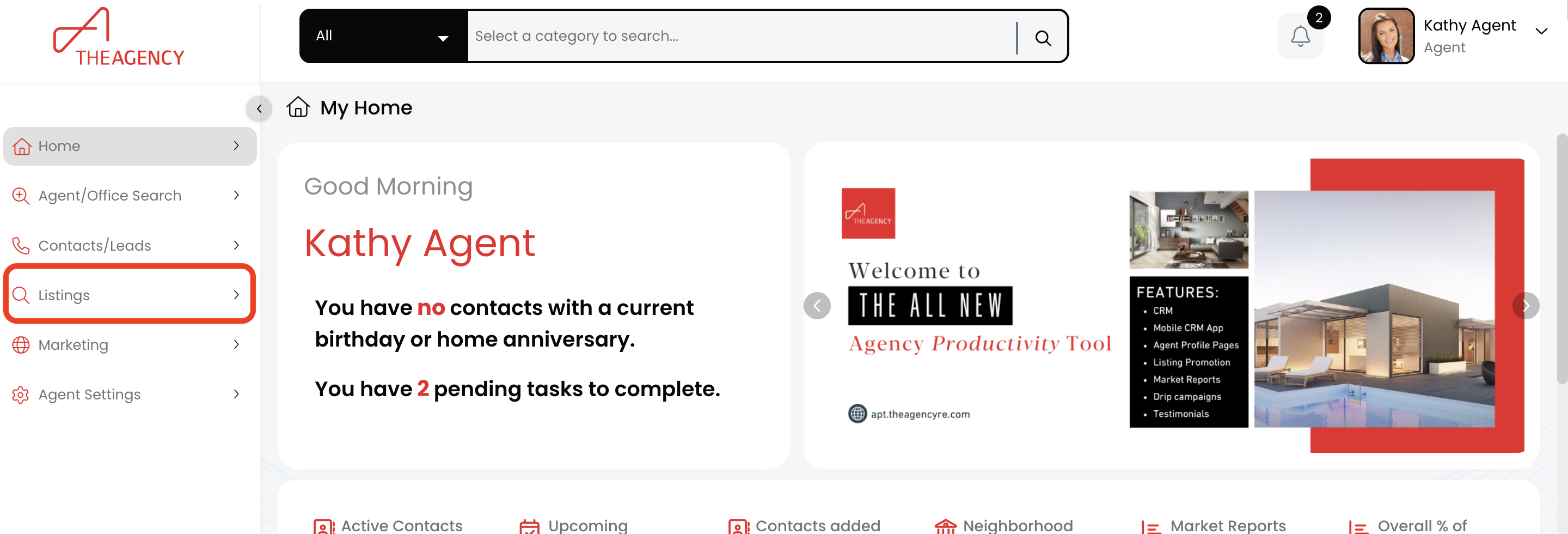
1.) Click on the Listings menu
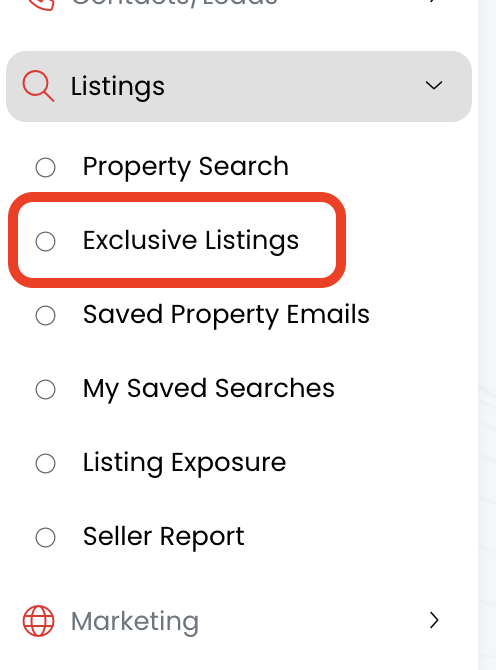
2.) Click on the Exclusive Listings option
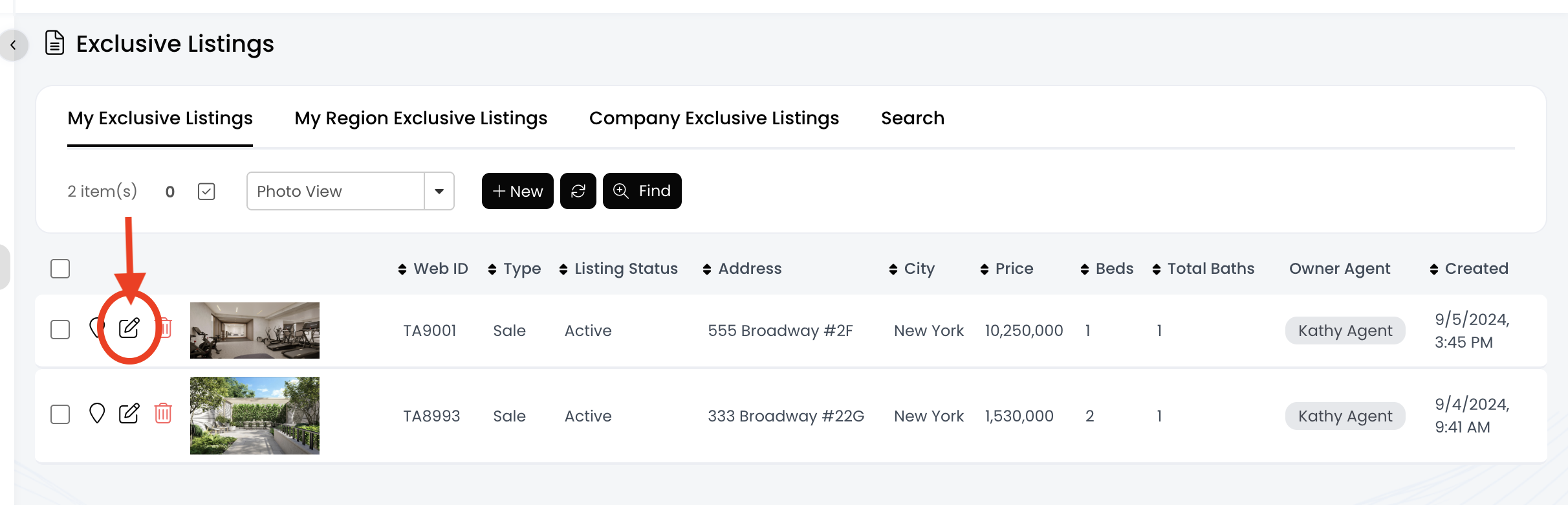
3.) Find the listing and click on the pencil icon
4.) There are 3 different fields where agents can be found (see below). Once you find the agent you want to remove, click on the X to the right of their name
- Owner Agent
- Co-Listing Agent
- Additional Agent
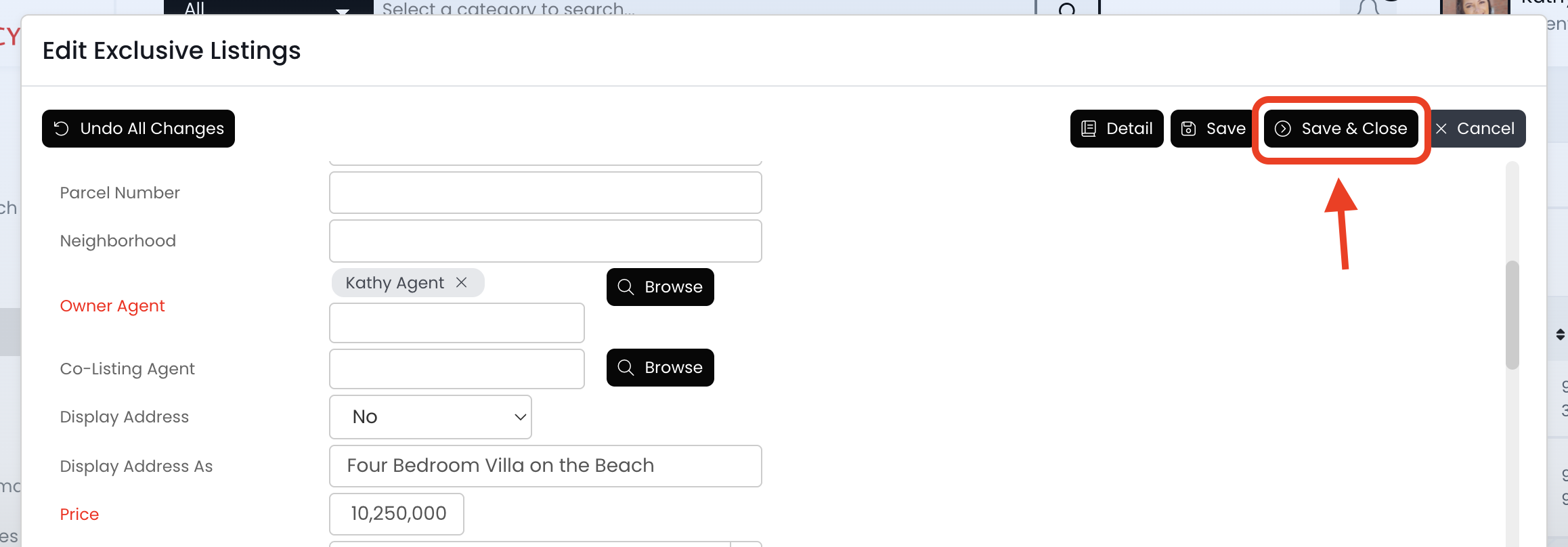
5.) Click on the Save & Close button
6.) Once the update syncs to the website within the next 30 minutes, the agent will no longer be displayed.

