


Filters: Find Agents Hidden on Website (For Staff)

May 28, 2025
 31
31
To identify agents who are currently hidden on our website, follow the steps below:
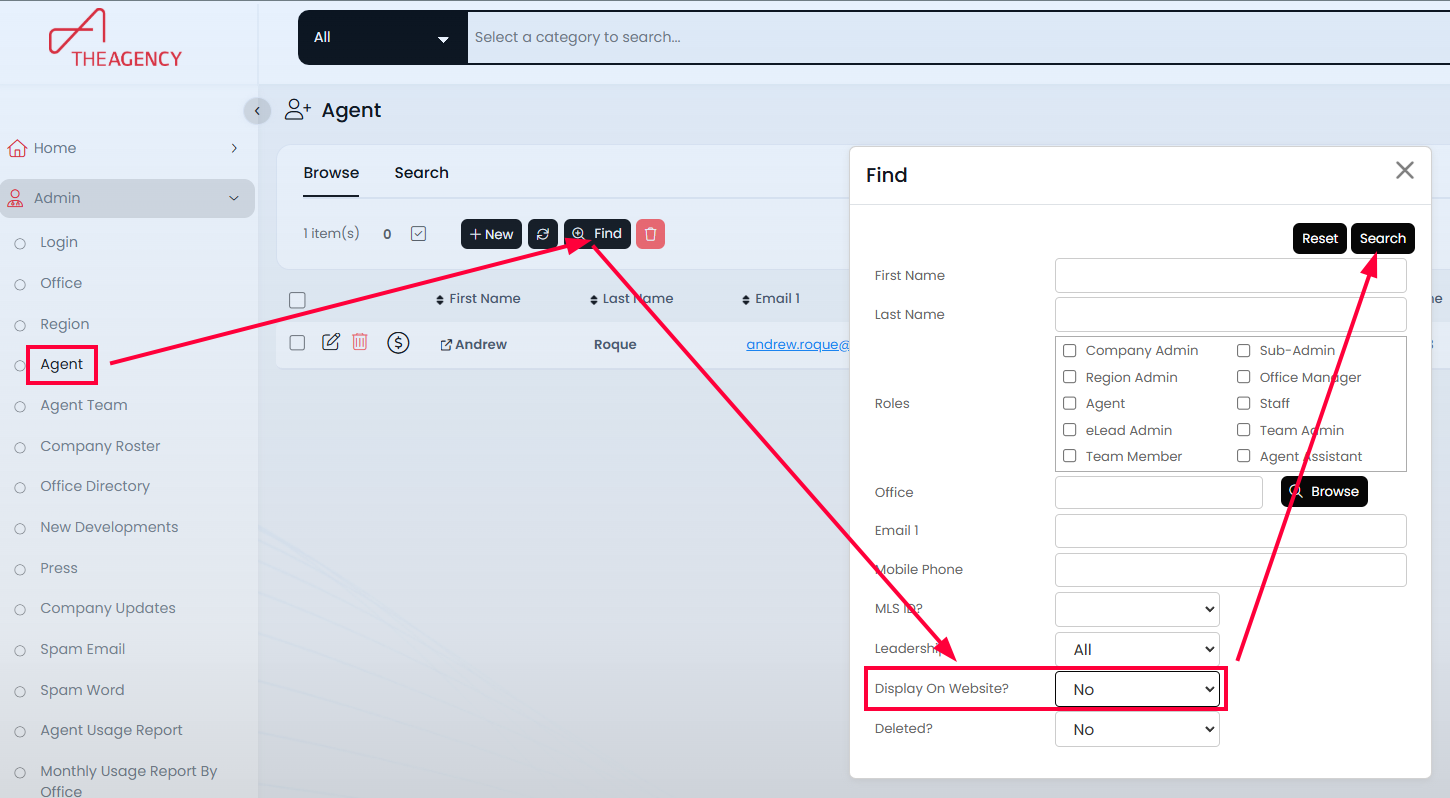
1. Go to Admin → Agent and click the FIND button.
2. In the Find window, set "Display on Website" to No. This will show all agents who are currently not displayed on the website
3. To update an agent’s profile and display them on the site:
-
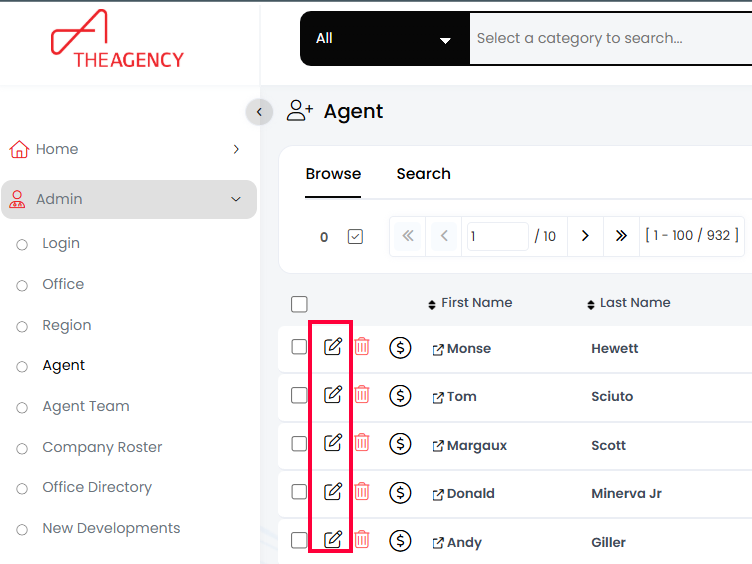
Click the Edit pencil icon next to the agent’s name.
-
Complete as much profile information as possible, including Title, Mobile Number, Bio, Headshot, and more.
-
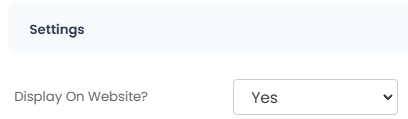
Change the "Display on Website" field to Yes and click Save.
4. Allow up to 15 minutes for the changes to reflect on the website.
Please note: Except for Leadership, staff members and assistants are not displayed on the corporate website.

