Drip Campaigns: View Metrics (Delivered, Opened, Clicked)

May 29, 2025
 8
8
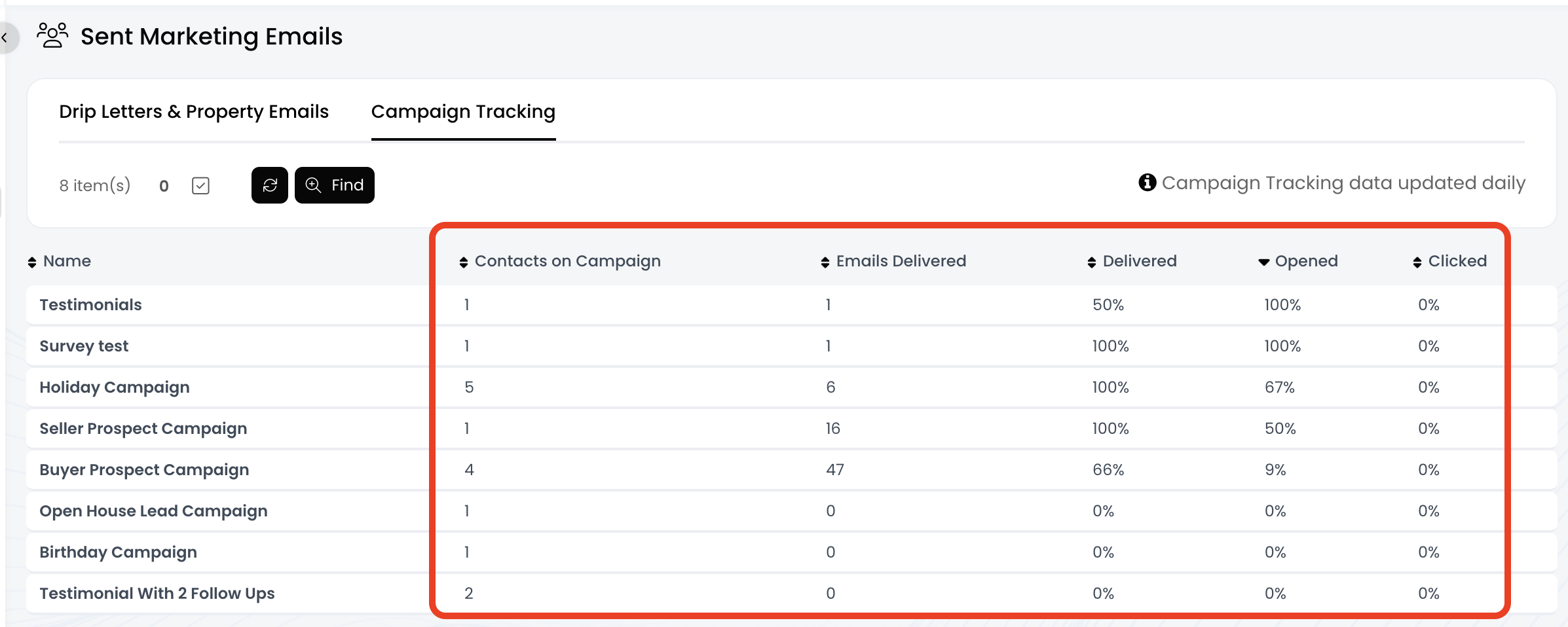
If you've added contacts to any drip campaigns within APT, you can view the metrics for each campaign! These metrics include Number of Contacts Added, Number of Delivered Emails, Delivered Rate %, Opened Rate %, and Clicked Rate %.
*** Please Note: These metrics are only updated once a day ***
📺 Click here to watch a video tutorial 📺
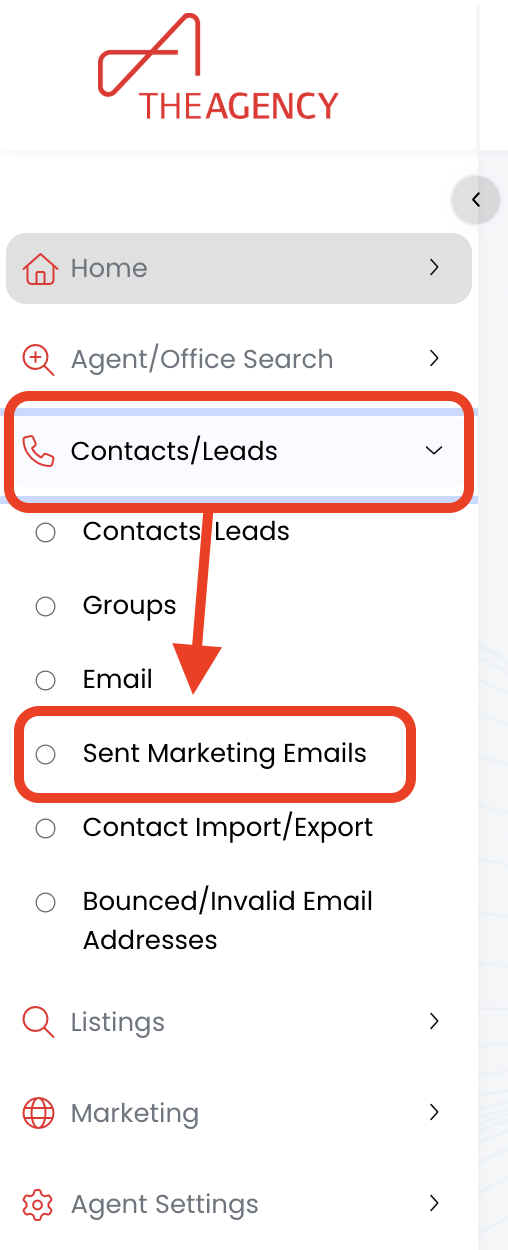
1.) Click on Contacts/Leads, then click on Sent Marketing Emails
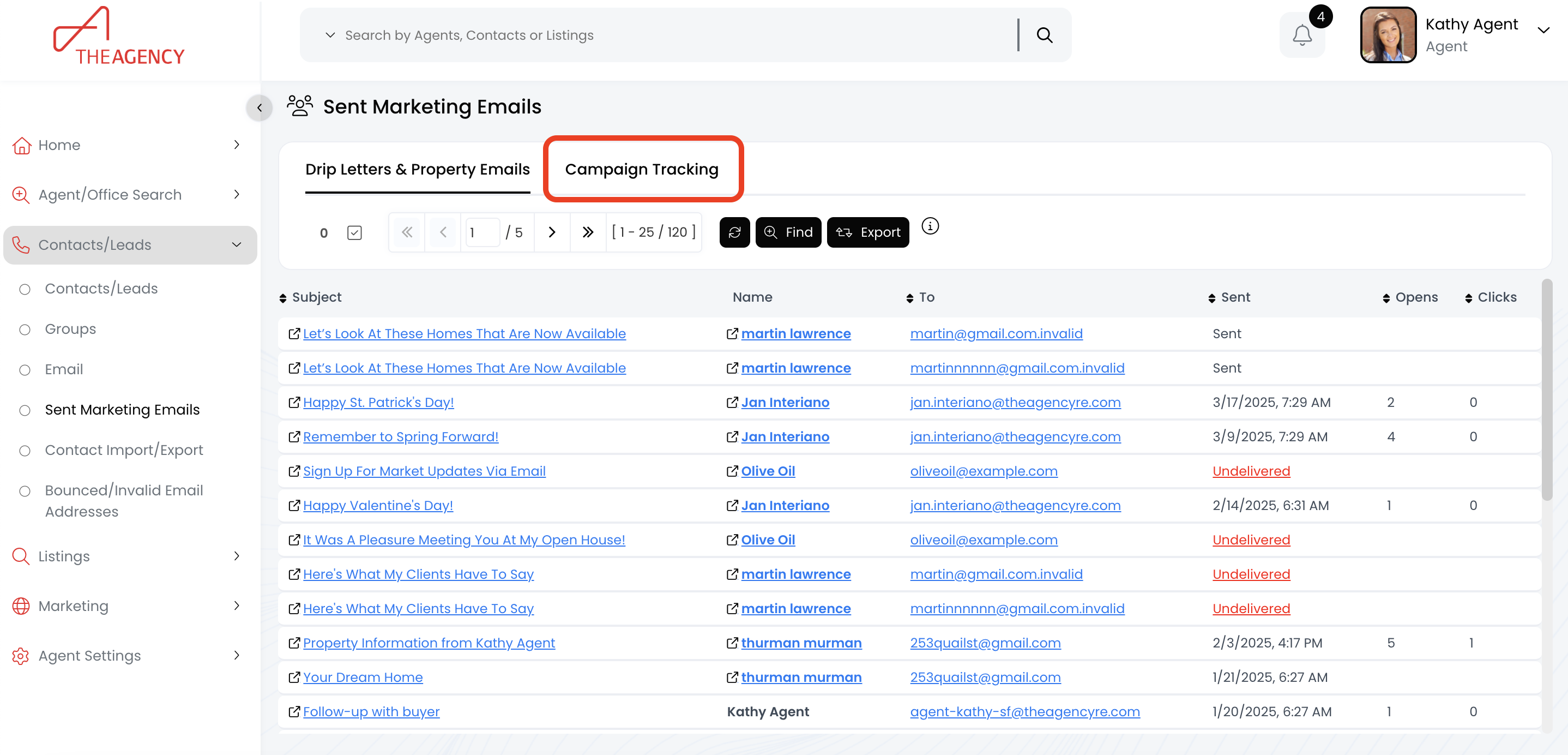
2.) Click on the Campaign Tracking tab
3.) Now you can view the metrics for each campaign within the columns!