ActivePipe: Editing Your Profile

Feb 26, 2026
 65
65
To manually manage your ActivePipe profile, follow these steps:
- Log in to ActivePipe.
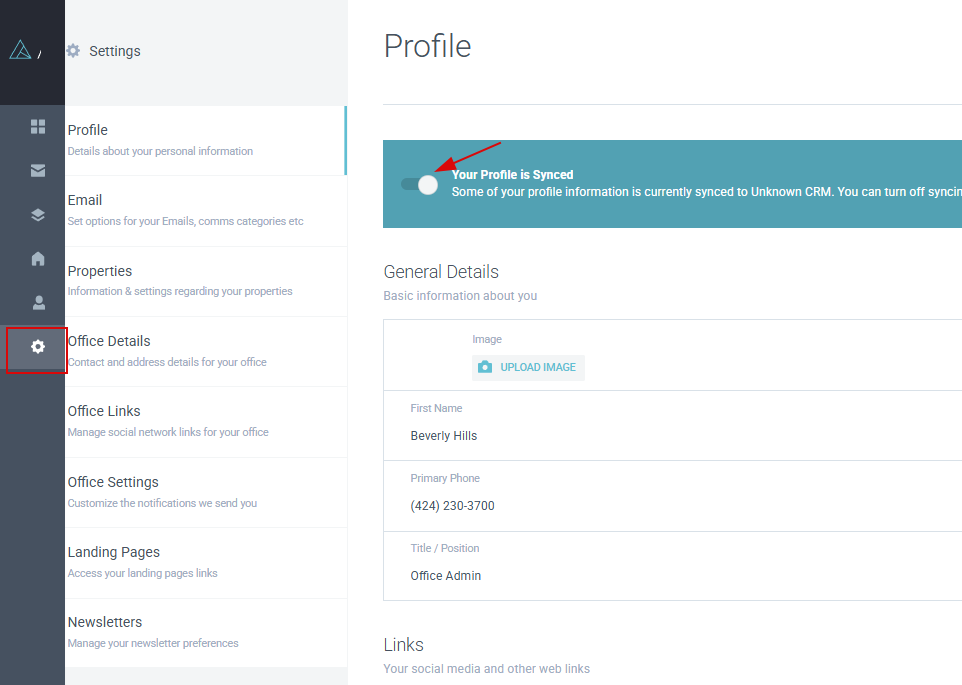
- In the left navigation menu, click the gear icon to access Settings.
- On the Settings page, toggle off the Your Profile is Synced slider. Leave it off to prevent your data from being overwritten.
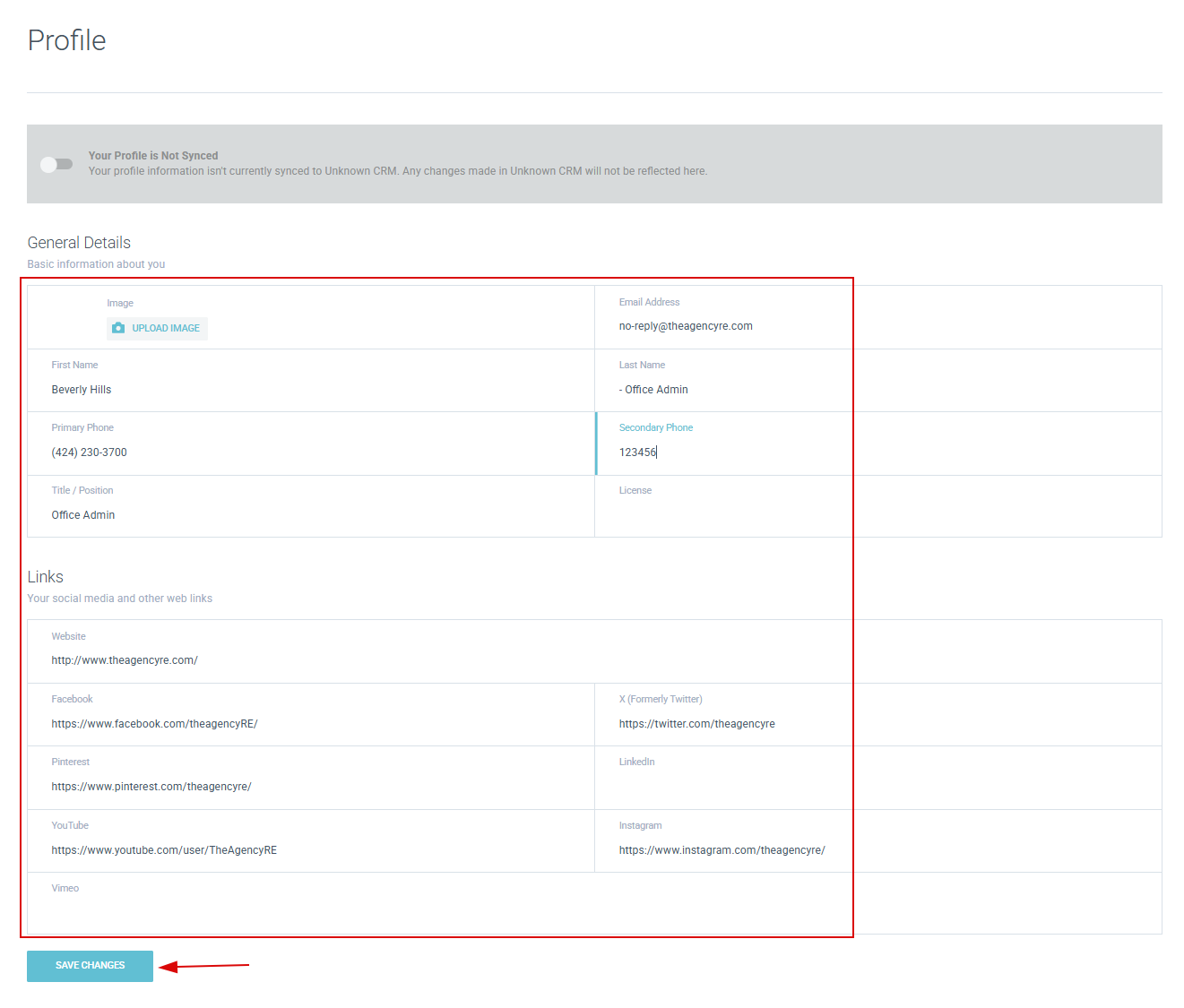
- With profile sync disabled, you can edit your headshot, general information, and social media links.
- Click Save to apply your changes.